In a crowded eCommerce landscape, your product detail page (PDP) is your last—and most powerful—chance to convert a visitor into a buyer. It’s not just a static product listing; it’s a web page built to drive conversions, build trust, and guide purchase decisions.
Below, you’ll find a proven framework for optimizing PDP content, complete with real-world case studies from Foursixty clients, plus tips on SEO, user experience, social proof, and the tools you need to make it scalable.
Why PDP Content Matters (Conversion rate (CVR) Benchmarks)
Your PDP content is the pivot point between discovery and conversion. While many retailers focus heavily on collection pages or marketing campaigns, the real money is made when you get the visitor past hesitation and into checkout.
- According to many benchmarks, a well-optimized PDP can see conversion rates of 2–5% (or more in niche/high-intent categories), while weak PDPs might languish below 1%.
- Because the PDP is the specific product page, every visitor is closer to purchase intent; it’s where all the product information, trust signals, social proof, and CTA converge.
- If your PDP is slow, confusing, or untrustworthy, you’re effectively losing the final mile — and that loss is magnified across your catalog.
As Rashel Hariri puts it:
“Too many brands treat the PDP like a checklist rather than a sales driver. … If the experience isn’t dynamic, trustworthy, and designed for how customers actually shop, you’re leaving revenue on the table.”
To get there, you need to treat your PDP as a high-stakes conversion asset, not a checkbox.
Above-the-Fold Content: First Impressions That Convert
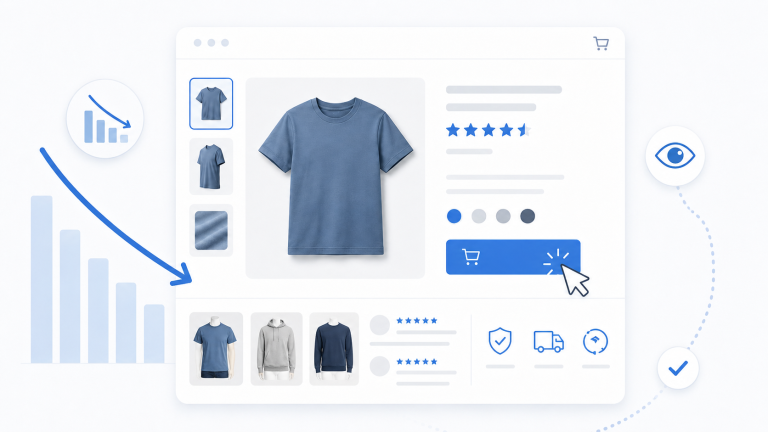
The top of your PDP sets the tone. It needs to provide clarity, credibility, and a frictionless path to purchase.
Product Title & Pricing
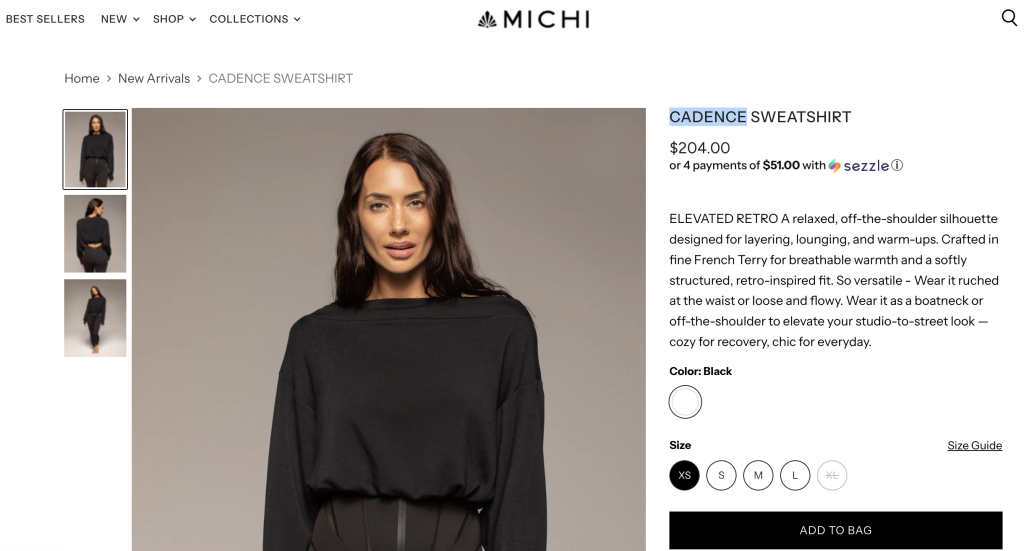
Use a clear, descriptive product title that naturally includes relevant keywords (e.g. “Women’s Leather Crossbody Bag – 8″ x 10″”). Price should be visible, transparent, and, where relevant, include discount or sale logic.
Trust Signals Up Front
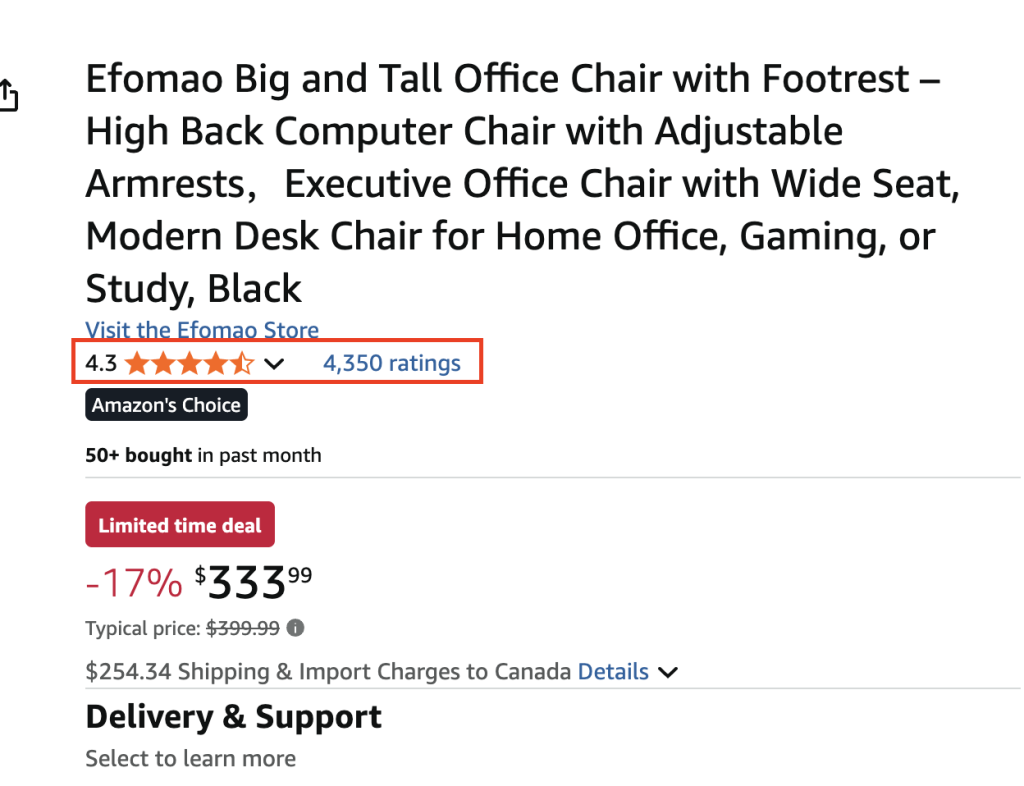
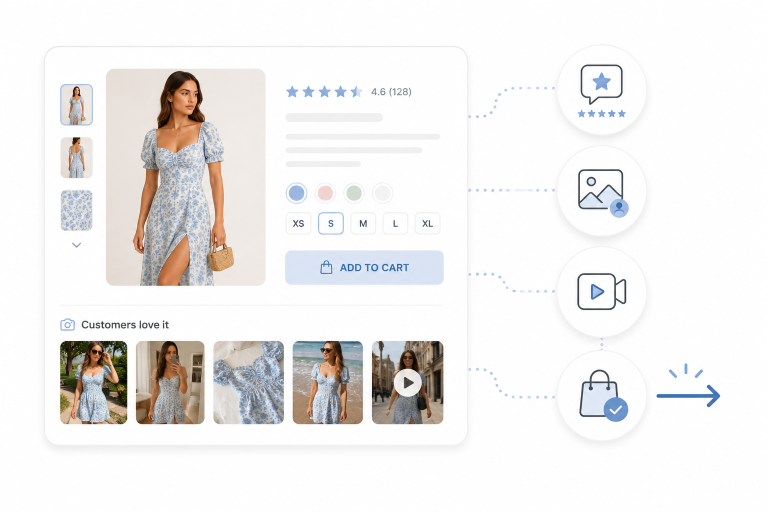
Don’t wait until the bottom to show customer reviews, star ratings, or third-party certifications. Social proof above the fold reassures new visitors immediately — it starts building trust before they commit to scrolling.
High-Quality Imagery & Video
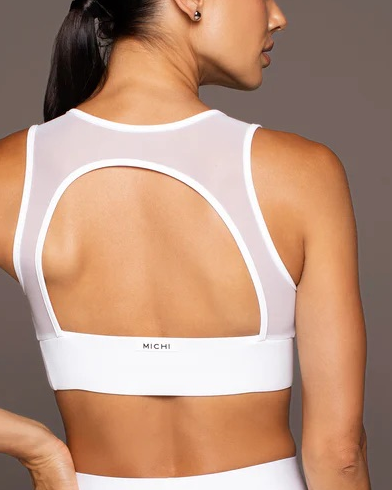
Stunning product images, from multiple angles and different angles, are table stakes. But go further: include a short video or 360° spin to show the product in motion or in context. Lifestyle photography helps users imagine the product in their life.
Clear CTA (Add to Cart)

Your call-to-action (CTA) should be bold, persistent, and unambiguous. Strip away distractions so “Add to Cart” is the natural destination. On mobile, it should remain visible even as users scroll.
Example Layout (Above-the-Fold)
- Left: Large product image / slideshow
- Center: Product name, price, quick bullet benefits
- Right: Add to Cart button + quantity selector + small trust signals
- Beneath / overlay: customer star rating, micro UGC thumbnails
Getting these elements right ensures you don’t lose shoppers before they see the rest of your page.
Supporting Content: Deepening Confidence
Once shoppers scroll, you need supporting content to answer every question and remove friction.
Benefit-Driven Bullets & Copy
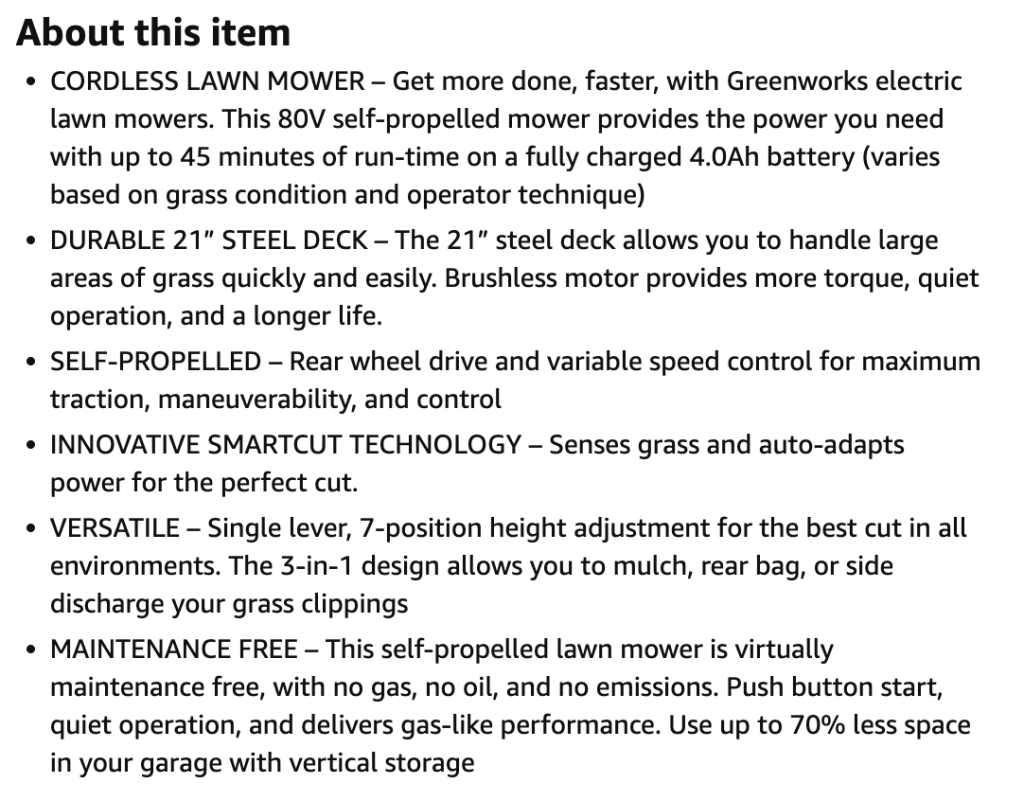
Use short, scannable bullet points to articulate benefits rather than just listing features. Instead of “1000 mAh battery,” say “lasts all day to keep you powered on-the-go.” Remember Rashel’s principle: features tell, benefits sell.
Comparison Tables

If you offer different models, sizes, or versions, a comparison table helps reduce decision fatigue. Especially in tech and electronics, customers like to see specs side-by-side to compare. This supports conversion rates by reducing confusion.
FAQs & Product Information
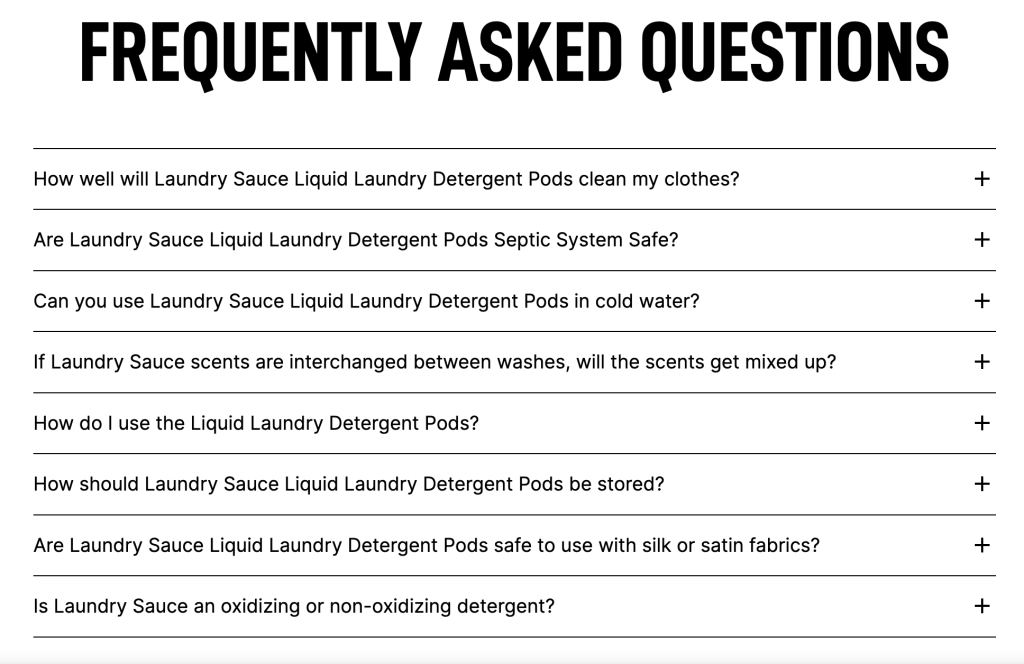
Include a section of frequently asked questions (FAQs) below the fold. Cover topics like sizing, usability, fit, compatibility, care, and warranty. This helps with both usability and SEO (since FAQ content can help your page rank for long-tail queries).
Rich Product Data
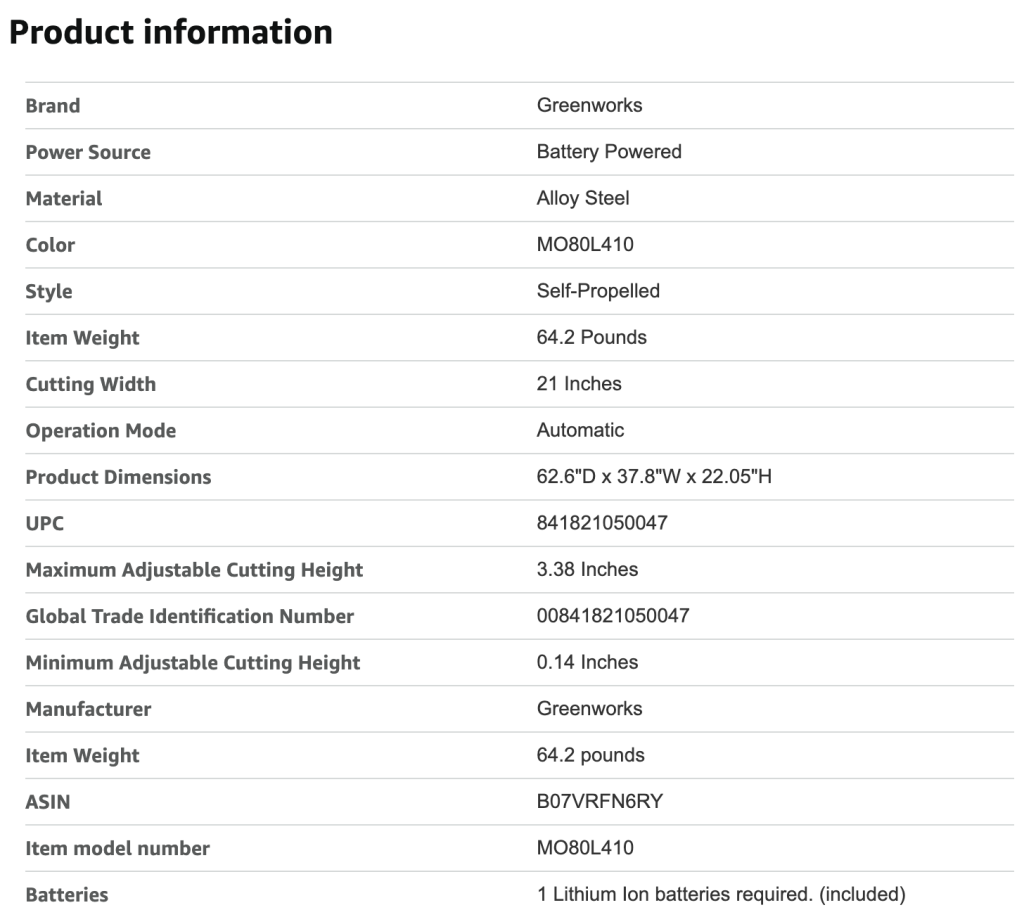
Include structured product attributes (size, color, weight, material) clearly — make this data crawlable (not hidden in images). Many users partially scan up to this point to validate before purchase.
Logistics & Trust Details
Beauty is in the details: show shipping information, return policy, guarantees, warranty, and shipping costs early (ideally before someone hits buy). Transparency here converts skepticism into confidence.
Social Proof Content: Proof + Clarity
At its core, successful PDP content delivers proof + clarity — that’s what moves someone from “maybe” to checkout. Hariri says:
“It always comes down to proof + clarity. … When shoppers see someone like them using it, trust skyrockets.”
Reviews & Ratings
Feature customer reviews prominently (text + photos). Don’t hide negative feedback — a 4-star review among 5-stars often appears more genuine.
User-Generated Content (UGC)
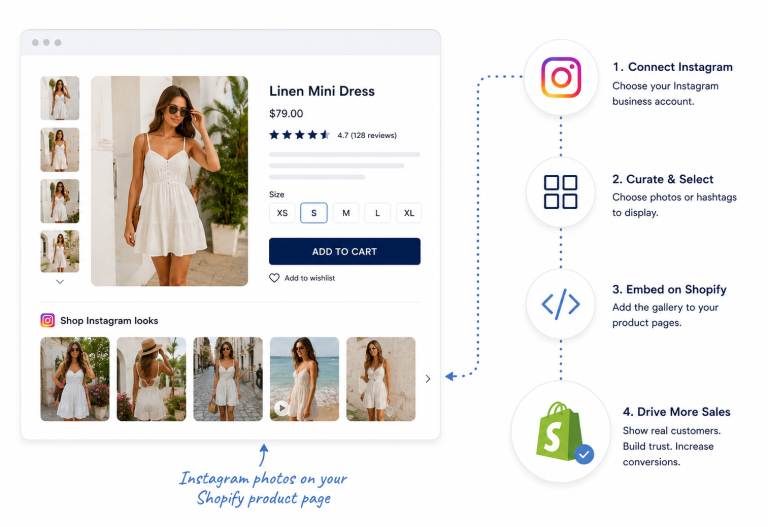
This is your secret weapon. Show real customers using your product — in their homes, on the street, in stylized shoots. Let them provide real context.
- Shoppable UGC elevates this: every photo in your gallery becomes clickable, letting the user go directly to cart.
- Integrate UGC deeply into the PDP experience; don’t relegate it to a “gallery tab.”
Certifications & Badges
Third-party validation (e.g. “Cruelty-Free,” “ISO Certified,” “Lifetime Warranty”) adds credibility, especially in luxury or technical categories.
Real Case Studies via Foursixty
- Frankie’s Bikinis: Using Foursixty to embed UGC across PDPs, they drove 19% of total orders and over 23% of online revenue.
- MICHI: In just 30 days, Foursixty delivered a 51× ROI through a streamlined UGC integration.
- Pura Vida Bracelets: Before Foursixty, they struggled to measure Instagram engagement. With Foursixty, they displayed shoppable brand + UGC galleries across the site — connecting social content to on-site conversion..
These examples show that integrating UGC via Foursixty isn’t just aesthetic — it’s a performance lever for e-commerce businesses.
SEO Content Best Practices: Rank & Convert
Optimizing your PDP for humans and search engines requires a smart blend of visible and hidden content.
Visible SEO Elements
- Use relevant keywords in the product title, first paragraph of description, headings, and bullet points.
- Include internal links (e.g. “see matching accessories,” “back to collection page”) to boost site architecture and crawlability.
- Use breadcrumbs so both users and search engine bots understand your site hierarchy.
Hidden & Structured SEO Techniques
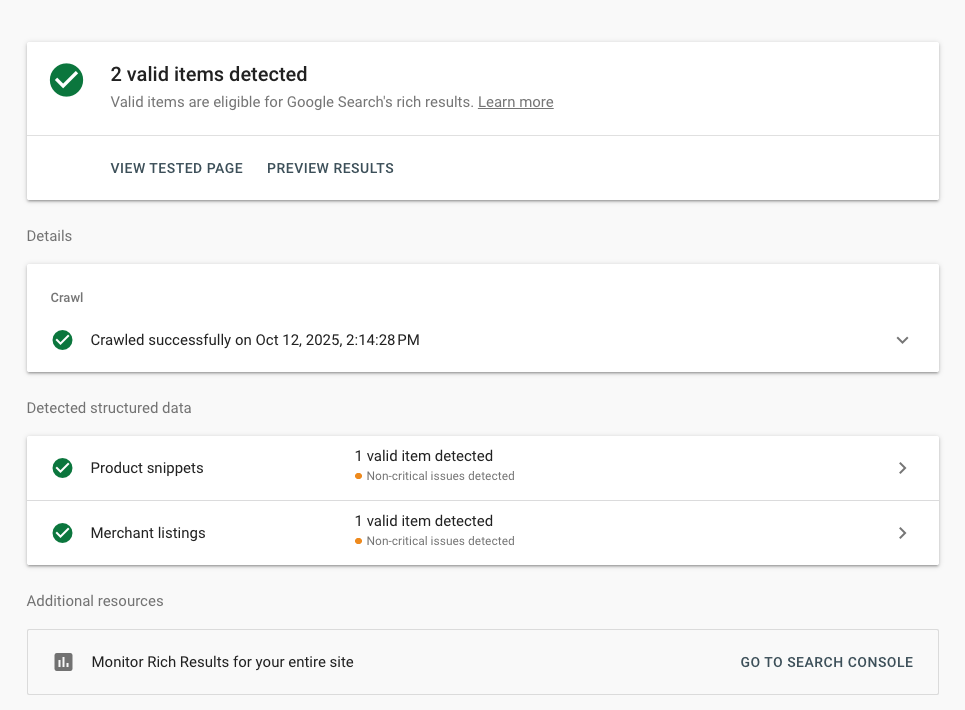
- Implement structured data markup (JSON-LD) for Product, Review, and FAQ schema. This helps your PDP appear in rich results, boosting click-through rates and rankings.
- Use A/B testing to experiment with copy, imagery, layout, and CTAs — and measure via metrics like bounce rates, click-through rates, and conversion rates.
- Keep mobile optimization front and center: your PDP must be lightning fast, responsive, and easy to scroll or tap, or you lose prospects.
Content Hierarchy Example: Walkthrough of a Strong PDP Layout
Below is a sample vertical structure you can follow (especially important for mobile devices):
1. Hero / Above-the-Fold
- Main hero photo (or slideshow)
- Product title + price
- Add to Cart CTA
- Star ratings + micro UGC
- Right under or next to hero: short benefit bullets
2. Feature & Benefits Block
- Bulleted benefits
- Comparison table (if multiple SKUs)
- Micro visuals or icons
3. Rich Product Detail & FAQs
- Full product description
- Frequently asked questions
- Technical specs or product data
4. UGC & Social Proof Gallery
- Interactive gallery with real customer images
- Clickable/shoppable content
- Reviews section with text + images
5. Trust & Logistics
- Return policy, warranty, shipping details
- Upsell / cross-sell modules (complementary product recommendations)
- Footer with navigation or breadcrumbs
This hierarchy ensures that each scroll down the page addresses the next set of conversion objections — guiding users down the funnel.
Tools and Apps to Manage PDP Content
To scale this across dozens or hundreds of product pages, you’ll need tools that integrate content, reviews, UGC, and analytics:
- Foursixty — Embed shoppable content platform that provides UGC galleries across your PDPs, homepage, and emails. It turns social content into direct revenue, not just inspiration.
- Nosto / Klaviyo — Personalize PDP content based on user behavior, past purchase, or demographics, showing variant images or copy tailored to each visitor.
- Hotjar / FullStory — See where shoppers drop off, how far they scroll, and what catches their attention through heatmaps and session recordings.
- Shopify / BigCommerce / Magento apps — Plugin modules to manage reviews, FAQ, image galleries, and structured data en masse.
- A/B Testing platforms (Optimizely, VWO) — Run iterative tests on your PDP layout, content, and CTA to continuously improve conversion rates and reduce bounce rates.
When used together, these tools can turn your PDP from a static product listing into a dynamic, personalized, and high-converting experience.
Elevate Your PDP with Foursixty
Your PDP content doesn’t need to be a weak link in your funnel — it can be your biggest growth lever.
Foursixty enables you to integrate user-generated content, shoppable imagery, and social proof directly into your PDP layout — turning inspiration into a seamless path to purchase. With real-world results like 19% of orders and 23% of revenue influenced via Foursixty, it’s not hype, it’s performance.
Ready to stop leaving revenue on the table? Book a demo with Foursixty today and see how shoppable UGC can transform your PDP from a static page into a conversion engine.