Instagram has evolved from a simple photo-sharing app into one of the most powerful social commerce engines on the planet. For modern e-commerce brands, especially those in fashion, beauty, and lifestyle, instagram shopping is no longer a “nice-to-have” — it’s a core sales channel that connects product discovery directly to purchase. When you add Instagram shopping integrations to your online store, you transform your instagram posts, Instagram Reels, and stories into shoppable surfaces that drive real revenue, not just vanity metrics.
But integrations alone aren’t enough. To really move the needle on conversion rates, PDP conversion rate, and add-to-cart rate, brands need to combine shoppable surfaces with authentic UGC, optimized PDPs, and a frictionless customer journey optimization strategy. In other words, you don’t just want a shop connected to Instagram — you want a system that blends Shoppble content (yes, even when it’s spelled wrong in search queries), Social Proof in Commerce, and strong UX so that fewer shoppers stall at the cart and more complete checkout.
In this guide, we’ll unpack what Instagram shopping integrations are, how they work technically, how to optimize them, how Foursixty fits into the ecosystem, and why brands who use UGC well consistently outperform static catalog sites. We’ll also walk through a step-by-step setup process and answer common questions like “How do I link my Instagram account to my online store for shopping integration?” and “How to link to Shopify the right way?”.
What Are Instagram Shopping Integrations?
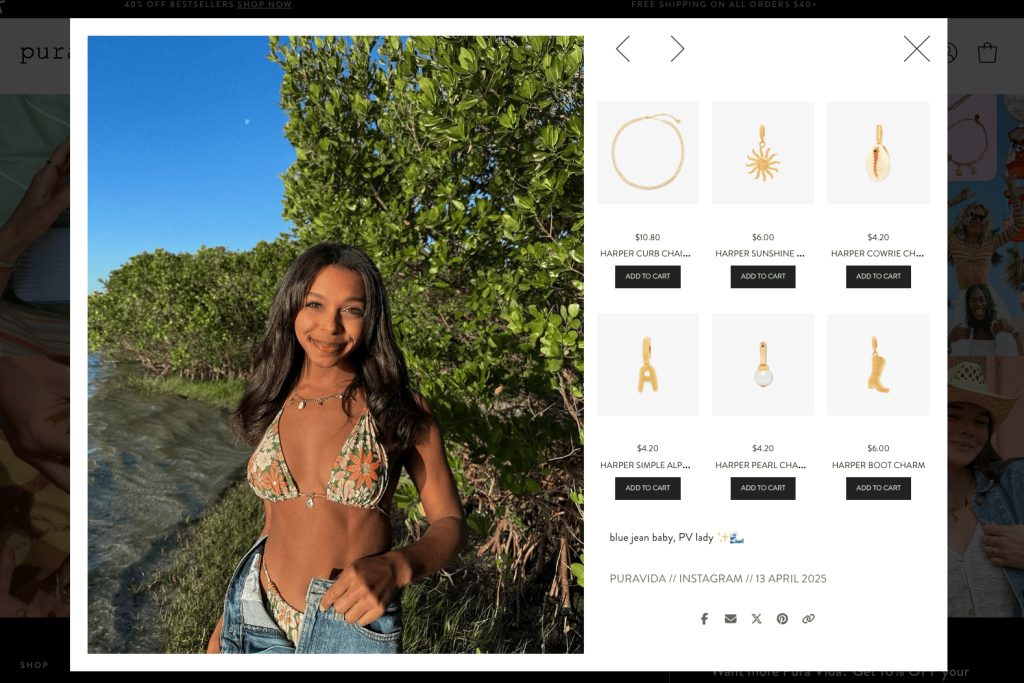
At a basic level, Instagram shopping integrations are the connective tissue between your ecommerce platform (like shopify or bigcommerce) and your instagram business account. They sync your product catalog into Meta’s commerce manager, ensure your products meet commerce policies, and allow you to turn your instagram profile into a shoppable storefront.
Once enabled, you can:
- Add product tags to posts, Reels, and stories so shoppers can see product details, pricing, and availability directly in the instagram app.
- Drive traffic from social media content straight to PDPs or in-app checkout.
- Run shopping ads that promote your products to audiences beyond your followers.
- Present consistent product availability and pricing in real-time across Instagram, Facebook, and your facebook shop.
There are two main flavors:
Native Instagram Shopping (Meta Commerce Manager)
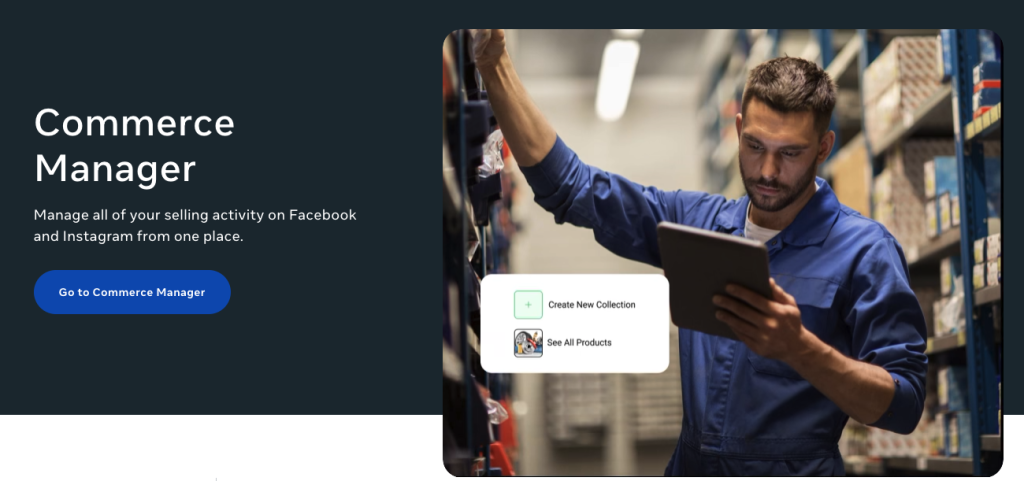
Native integrations use Meta’s own tools:
- You connect your business page and facebook page to a business manager.
- You configure a product catalog inside commerce manager.
- Instagram ingests those products and lets you tag them in posts and Reels, or display a shop tab on your profile.
This native setup is great for brands that want a fast, low-cost way to turn their content into shoppable posts, but it’s limited when it comes to UGC handling, rights management, and multi-channel merchandising.
Third-Party Tools (Foursixty and Others)
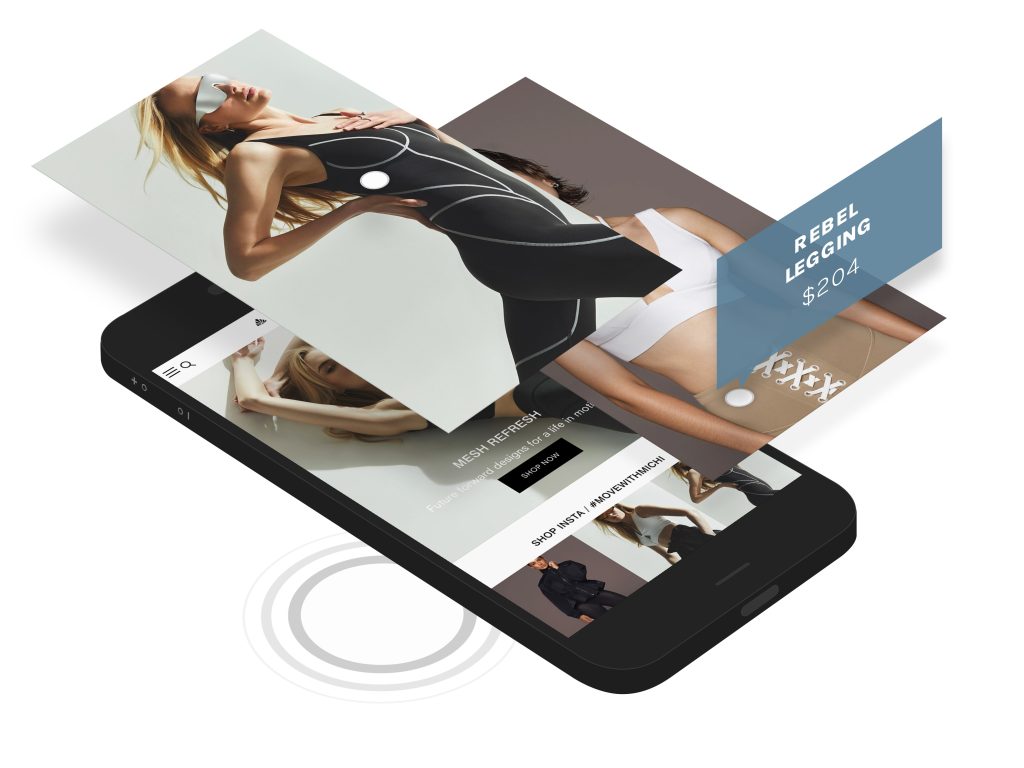
Third-party integrations like Foursixty sit on top of native infrastructure and give you more control over:
- UGC brand usage (how you collect, manage, and publish content from customers and creators).
- Turning UGC and influencer content into shoppable content and Conversion content on your home page, collection pages, and PDPs.
- Deeper PDP optimization and ways to Optimize PDP content using customer photos, videos, and Brands who use UGC well as inspiration.
- Automation and workflow management so your team can automate more and manually chase down less.
For DTC brands serious about building trust, reducing shopping cart abandonment, and maximizing their UX conversion rate, third-party Instagram shopping integrations are where the real leverage lies.
How Instagram Shopping Integrations Work
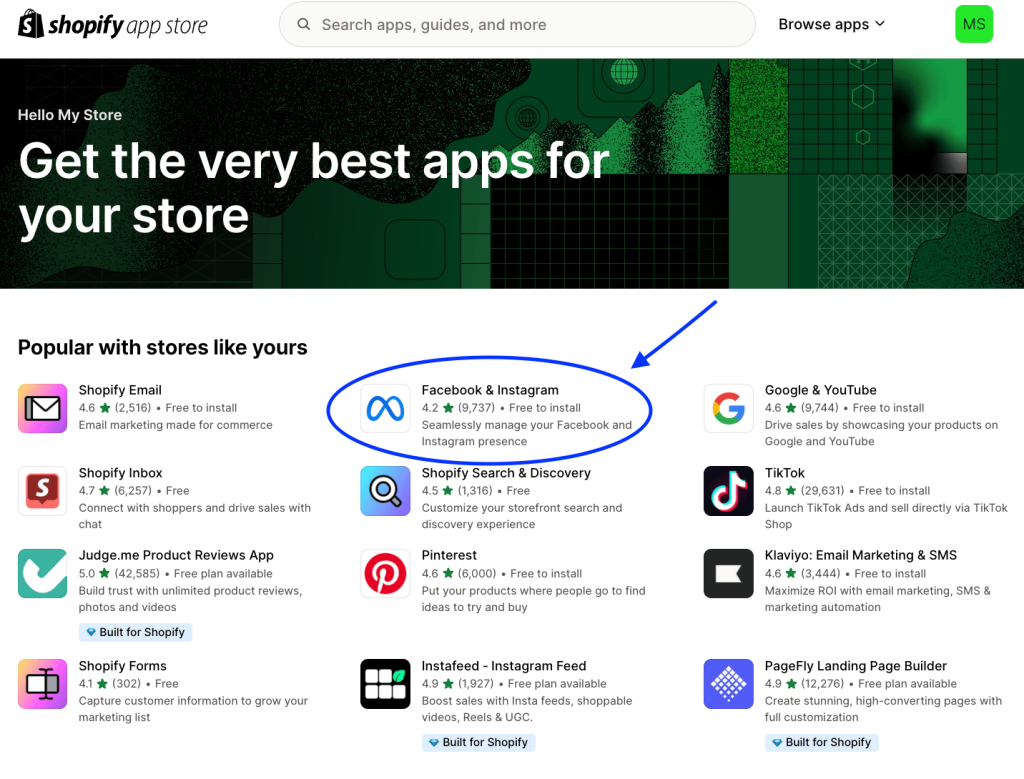
The Technical Components
Under the hood, Instagram shopping relies on a predictable stack of technical components:
- A professional account / instagram business account connected to a business manager.
- A facebook page and business page representing your brand.
- A synced product catalog that feeds products into commerce manager.
- A compatible ecommerce platform like shopify, bigcommerce, or a custom build using the Meta api.
- Product feeds that keep inventory, product descriptions, pricing, images, and URLs up to date in real-time.
Once configured, Instagram pulls product information from your online store, allowing you to tag it in content, present it in a shop tab, and connect it to shopping ads. That’s how you “link” your commerce stack to Instagram — this is really the core of how to link to Shopify (or any platform) for social commerce.
Requirements and Eligibility
To qualify for Instagram Shopping, you need to meet a set of eligibility and policy requirements:
- A legitimate business operating in a supported market.
- A professional account on Instagram (business or creator).
- A connected facebook shop or commerce-enabled page.
- Compliance with Meta’s commerce policies and community standards.
- A functioning online store with clear refund/return terms and reliable fulfillment.
Once approved, you’ll see product tagging options appear inside the instagram app, and you’ll be able to select products from the catalog linked to your ecommerce platform.
Benefits of Adding Instagram Shopping Integrations to Your Store
Instagram shopping integrations are not just “tech plumbing.” Done right, they fundamentally improve how people move through your funnel and how your content supports that journey.
1. Reduced Friction and Fewer Leaks
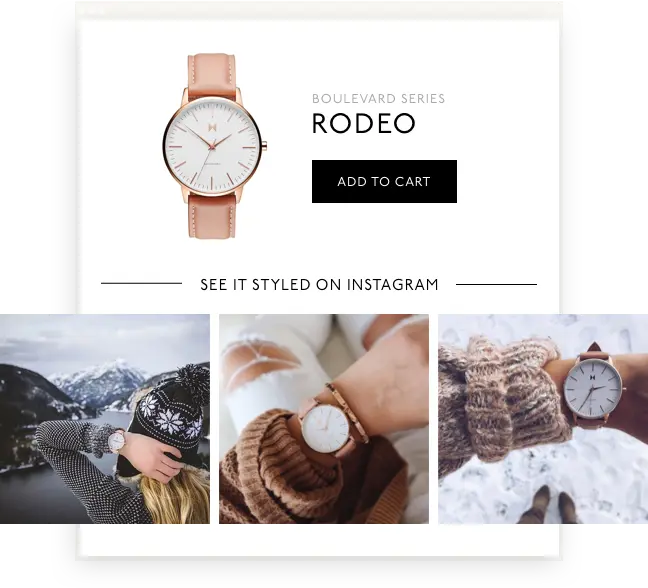
When shoppers see something they like in their instagram posts or reels, they can tap to view product details and either purchase through in-app checkout (where available) or land directly on an optimized PDP. That reduces the number of clicks, page loads, and context switches—key culprits of shopping cart abandonment.
2. Higher Conversion Rates and Better UX
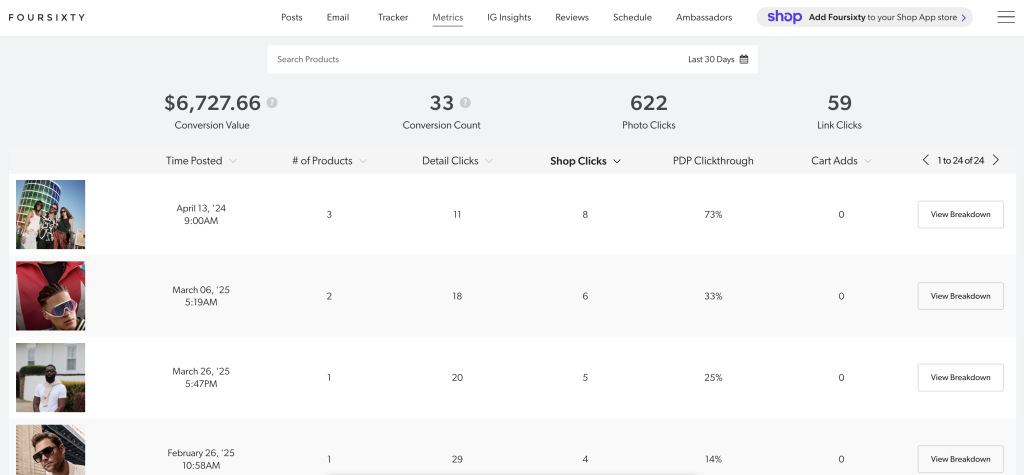
Shoppers don’t want to hunt for a product they just saw in a story or Reel. With strong shopping integration, they tap, view, and buy. When you pair this with:
- strong PDP optimization,
- rich UGC galleries, and
- clear information on fit, returns, and shipping,
you see a measurable lift in conversion rates and PDP conversion rate, which is exactly what you would track in a solid CRO checklist.
We have many case studies on conversion rates and UX helping drive more sales.
3. More Authentic Social Proof in Commerce

Instagram is naturally visual and social. When you transform your feed and stories into Shoppable content fueled by real customer photos and creator campaigns, you’re not just selling—you’re showing how the product lives in the real world. That’s the foundation of effective Social Proof in Commerce, especially when your UGC brand usage strategy makes it easy to feature high-quality content from your community.
4. Stronger Cross-Channel Monetization
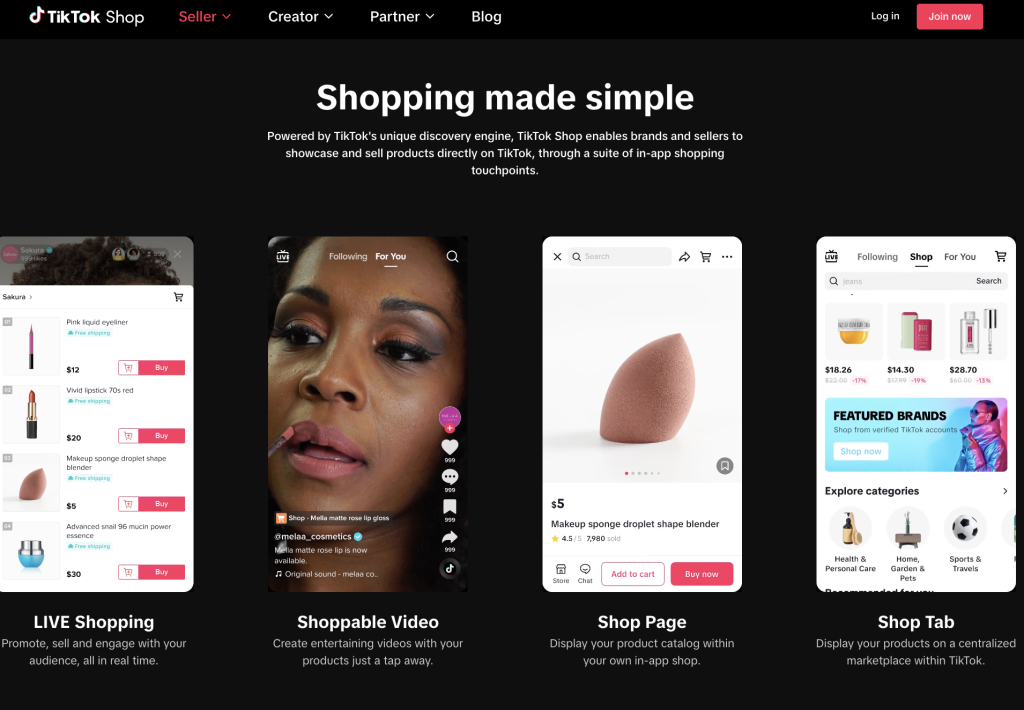
Instagram shopping integrations don’t exist in a vacuum. They connect to:
- Instagram monetization features like in-feed product tags and Reels tags.
- Tiktok monetization strategies when you run parallel campaigns and reuse creator assets across platforms.
- Loyalty and retention motions, where shoppable UGC pairs with your loyalty program and email flows.
With the right setup, Instagram becomes an always-on discovery channel that continuously feeds your online store with warm traffic ready to buy.
The Different Types of Instagram Shopping Integrations
Native Instagram Shop Setup
Native Instagram Shopping is Meta’s built-in functionality. You connect your catalog, flip on shopping, and start tagging products in your posts and Reels.
Pros:
- Free to set up (aside from your platform costs).
- Fully supported by Meta, so documentation is robust.
- Good enough for small or early-stage brands needing basic shoppability.
Cons:
- Limited handling of rights-managed UGC.
- No native tooling for influencer licensing or multi-channel UGC reuse.
- Storefront feels generic and often isn’t tailored to advanced brand storytelling.
Native works well as the foundational layer, but it usually can’t deliver the advanced customer journey optimization modern brands expect.
Third-Party Shoppable Instagram Tools (Foursixty, etc.)
Third-party tools like Foursixty extend native functionality by adding:
- Dynamic shoppable posts and shoppable UGC galleries your dev team can drop into your home page and PDPs.
- UGC sourcing, rights requests, and UGC brand usage governance.
- Creator and influencer management workflows.
- Better reporting on add-to-cart rate, clicks, and revenue per asset.
- Branded layouts that fit your seo and UX strategy rather than a generic Meta template.
If native Instagram Shopping is your power grid, third-party tools are your appliances, lighting, and architecture—what the shopper actually experiences.
API-Based vs App-Based Integrations
Some brands integrate via direct api (custom or enterprise-level setups), while others use pre-built social commerce apps:
- API-based integrations are ideal for larger brands that need custom routing, multi-region catalogs, or complex logic between platforms.
- App-based integrations (like a Shopify app) are faster to install, easier to maintain, and often more than enough for even mid-sized brands.
Comparison of Top Instagram Shopping Integration Platforms
Google loves honest comparison content, and shoppers do too. Here’s a high-level, neutral comparison:
Foursixty
Best fit: brands who rely heavily on UGC, want tight PDP and gallery integration, and care about Brands who use UGC well as benchmarks.
- Deep integrations with shopify and bigcommerce.
- Strong focus on Shoppable content and Conversion content in PDPs and galleries.
- Rights management, UGC moderation, and creator workflows.
- Clear reporting on conversion rates, engagement, and revenue generated.
Taggshop, Sauce, EmbedSocial, ShopSocial
- Great for visual galleries and simple UGC displays.
- Less comprehensive on rights workflows, cross-channel reuse, or deep analytics.
Shopify Native / Link-in-Bio Tools
- Shopify’s own sales channels let you connect a catalog and tag products easily.
- Link-in-bio tools help push people to multiple destinations but don’t offer rich PDP embeds powered by UGC.
For brands who want Instagram to drive serious revenue—not just clicks—Foursixty is usually the next step beyond native tools.
Why Brands Choose Foursixty for Instagram Shopping Integration
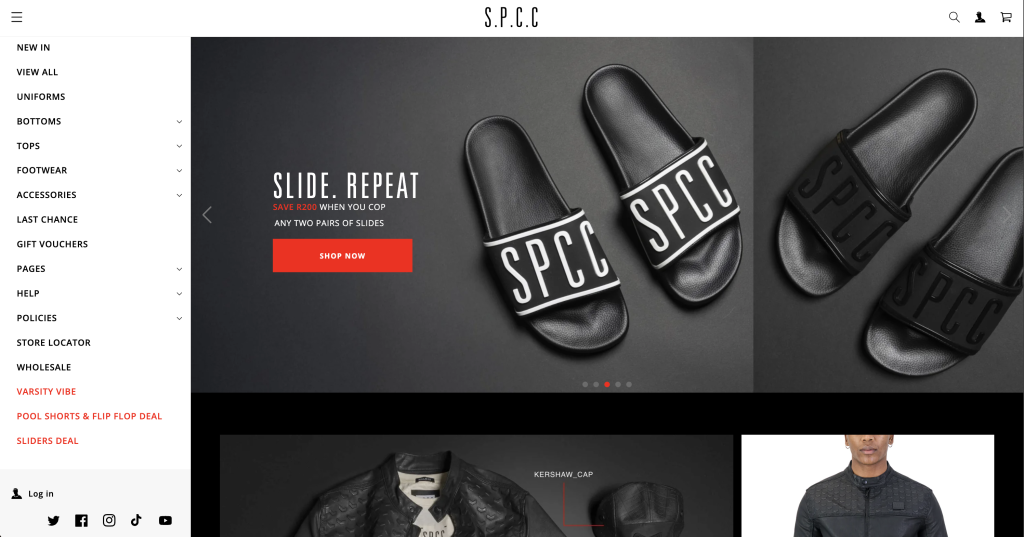
This is where your proprietary Foursixty data shines and builds serious E-E-A-T.
Across 11 men’s apparel eCommerce sites using Foursixty they saw an increase of:
- Shoppers generated 20,000,000+ total interactive events, including image clicks, UGC interactions, and add-to-cart signals.
- The average store saw around 25K+ increased monthly events, while the top 10% of stores drove 84K+ increased monthly interactions, which include the aforementioned interactions.
- The bottom 25% of stores recorded fewer than 1K events, typically due to static catalog layouts with no UGC and minimal social proof.
Behaviorally:
- About 40% of interactions were exploration (filtering collections, browsing categories, checking new products).
- About 30% were visual discovery (image clicks, UGC carousels, lookbooks, Reels-style assets).
- About 20% focused on information-seeking (size guides, materials, returns).
- About 10% were direct conversion intent (add-to-cart, “complete the look” suggestions).
The most successful stores didn’t just “have social shopping enabled.” They:
- Used Foursixty to surface high-quality UGC on PDPs and category pages.
- Embedded Shoppable content galleries on their home page and high-intent areas.
- Paired UGC with clear policies and sizing info to remove friction and improve UX conversion rate.
- Integrated social proof and shoppable UGC into their loyalty program and email automation flows.
In short: in men’s apparel, “engagement equals efficiency.” Shoppers move quickly when they trust what they see. Foursixty helps brands optimize that journey by turning social content into a highly efficient decision-support layer that boosts both add-to-cart rate and final purchases.
Step-by-Step: How to Set Up Instagram Shopping Integrations
Let’s walk through a simple step-by-step framework you can adapt regardless of platform.
Step 1 — Prepare Your Store and Catalog
Make sure your online store is in good shape:
- Accurate product descriptions, clean categories, and compliant policies.
- Modern ecommerce platform (e.g., shopify or bigcommerce).
- A properly structured product catalog (titles, images, pricing, URLs, availability).
Step 2 — Set Up Meta Commerce Manager
Go to commerce manager in Meta Business Suite and:
- Connect your business manager and facebook page.
- Confirm your business information and eligibility.
- Set up your storefront if you’re also using facebook shop.
Step 3 — Connect or Upload Your Product Catalog
For most brands, the easiest path is:
- Use the official Shopify or BigCommerce sales channel to send your product catalog to Commerce Manager.
- Or, configure a data feed via api or CSV if you’re on a custom stack.
This is effectively how you link your online store to Instagram Shopping and practically “how to link to Shopify” in a way that stays in sync over time.
Step 4 — Submit for Instagram Shopping Approval
Inside Commerce Manager, submit your account for shopping approval:
- Meta reviews your site for commerce policies compliance.
- You may be asked to clarify your business or domain connection.
Once approved, you’ll see product tagging options in the instagram app.
Step 5 — Turn On Product Tagging and Shopping
From your instagram profile:
- Go to settings → Business → Shopping.
- Choose the catalog connected to your ecommerce platform.
- Ensure your professional account is properly linked.
Step 6 — Choose Your Instagram Shopping Integration Strategy
Now decide: purely native or augmented with Foursixty?
If you choose Foursixty:
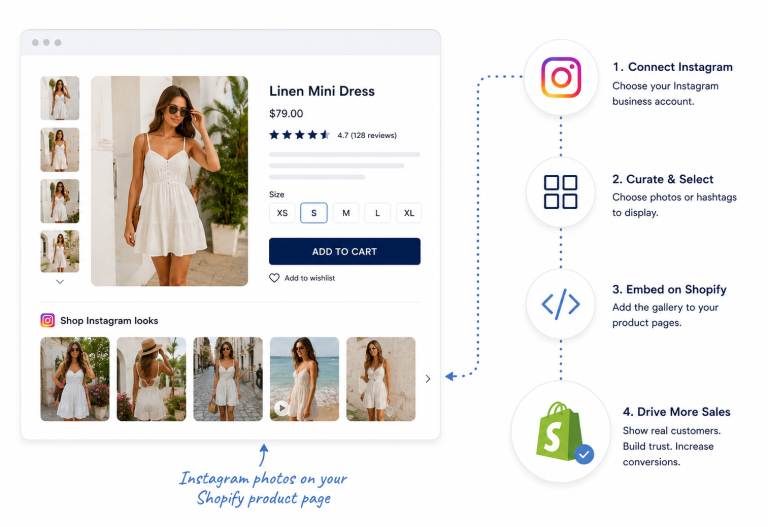
- Install the Foursixty app on Shopify / BigCommerce.
- Connect your instagram business account and sales channel.
- Start curating UGC, influencer assets, and shoppable posts into galleries.
Step 7 — Tag Products and Publish Shoppable Content
From here, your ongoing process looks like:
- Tag products in instagram posts, stories, and reels.
- Curate and publish UGC galleries on your PDPs and home page.
- Use creator content to fuel Instagram monetization, Tiktok monetization, and even linkedin thought-leadership around your brand.
Note: If you’re curious about TikTok vs. Instagram monetization, check out our article.
Best Practices for Maximizing Instagram Shopping Sales
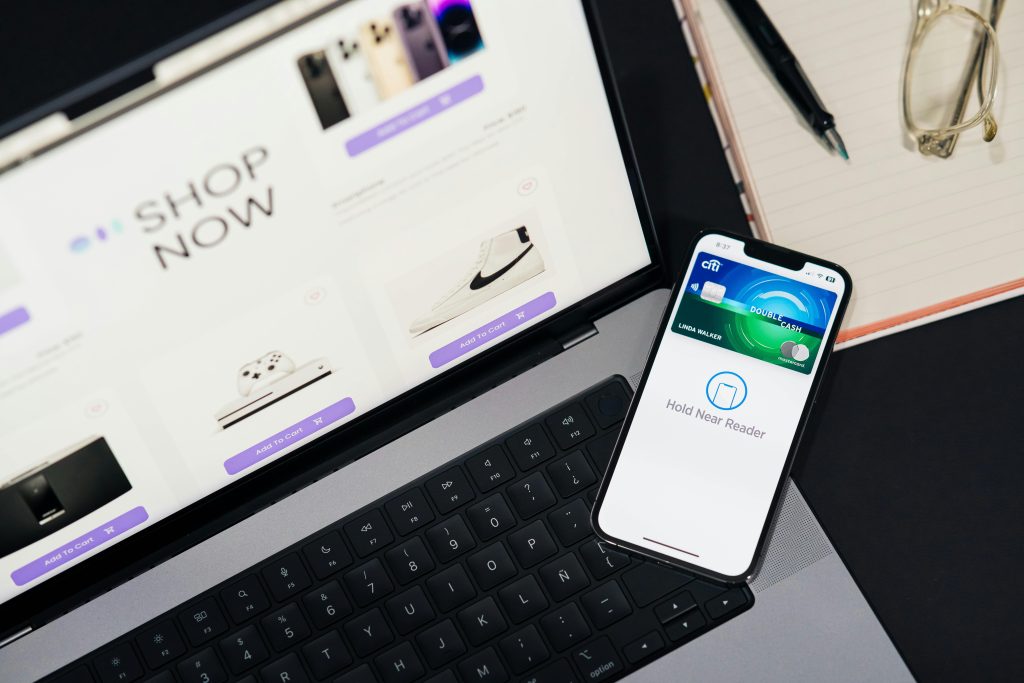
Here are some best practices to follow for Instagram shopping:
- Build a thoughtful UGC brand usage policy and highlight Brands who use UGC well as internal inspiration.
- Use Foursixty to automate rights requests and UGC ingestion so your team isn’t stuck in DMs all day.
- Pair shoppable UGC galleries with a clear CRO checklist focused on messaging, fit, and return transparency.
- Implement a loyalty program that rewards customers for sharing content and leaving reviews.
- Use analytics to track conversion rates, PDP conversion rate, and add-to-cart rate from shoppable galleries.
- Continuously optimize your conversion content as you learn what drives sales and where friction still exists.
Ready to stop leaving revenue on the table? Book a demo with Foursixty today and see how shoppable UGC can transform your PDP from a static page into a conversion engine.
Frequently Asked Questions About Instagram Shopping Integrations
How to integrate an Instagram shop?
Set up commerce manager, connect your product catalog from Shopify / BigCommerce or via API, link your instagram business account, get approved for shopping, then enable product tagging within the Instagram app.
What is the 5-3-1 rule on Instagram?
The 5-3-1 rule is a content guideline: for every 9 pieces of content, aim for 5 value-based posts (education/entertainment), 3 engagement-focused posts (UGC, questions, Reels), and 1 direct promotional or conversion content post. It keeps your feed balanced and less salesy while still supporting instagram shopping.
Does Instagram have a shopping platform?
Yes. Instagram offers a native shopping platform that includes product tagging, shop tabs on profiles, shoppable Reels, and in-app checkout in eligible regions, all powered via commerce manager and your catalog.
Can Shopify integrate with Instagram Shop?
Absolutely. Shopify has a native integration that treats Instagram as a sales channel. You connect your shopify store to Meta, sync your catalog, and then tag Shopify products in posts and Reels. From there, you can enhance things further with tools like Foursixty.
How do I enable shopping on Instagram?
Switch to a professional account, connect your facebook page, set up commerce manager, sync a product catalog, and submit your account for approval. Once approved, you’ll see a “Shopping” option in your Instagram settings.
How do you qualify for Instagram shopping?
You must sell physical goods, be in a supported market, have a connected online store, comply with commerce policies, and have a trustworthy domain and product experience.
Do I need Shopify to sell on Facebook and Instagram?
No. Shopify is popular and simplifies the process, but you can use other platforms or even custom setups via api feeds. That said, Shopify + Foursixty is one of the fastest ways for many brands to get up and running.
How Checkout on Instagram Works — Additional Requirements for Instagram Checkout — How do Customers Track Their Orders?
For eligible markets, Instagram offers native checkout where customers complete the entire purchase within the app. Requirements include payment setup, compliance with additional policies, and consistent order fulfillment. Customers can track their orders inside Instagram’s order history, and merchants manage those orders in Commerce Manager or via their connected platform.
Why Shopify Instagram Integration Is Important for eCommerce Businesses?
Because it reduces friction from discovery to purchase, keeps inventory and pricing synced in real-time, and allows you to layer on advanced tools like Foursixty for shoppable UGC and PDP optimization. It turns Instagram from a branding channel into a measurable revenue driver.
What is the price of setting up an Instagram product feed?
The native cost is typically $0—Meta doesn’t charge for catalog feeds. You might pay your ecommerce platform subscription and any third-party tools (like Foursixty) that add features such as UGC galleries, analytics, and automation.
Can anyone create an Instagram or Facebook Shop?
Anyone with a compliant business, supported market, and real products can apply. Approval isn’t guaranteed; you still have to pass Meta’s eligibility and commerce policies checks.
How do I link my online store to Instagram Shopping?
Use your platform’s sales channel or catalog integration (e.g., Shopify → Facebook & Instagram). That connection is what keeps your product catalog synchronized and ensures product tags work correctly.
How do I link my Instagram account to my online store for shopping integration?
Connect your Instagram to your business manager and Commerce Manager, then choose the correct catalog tied to your online store. The key is making sure the same business entity is connected on both sides.
How do Instagram shopping integrations affect online sales?
They shorten the path from discovery to purchase, reduce lost intent, and support stronger UX conversion rate optimization, especially when combined with UGC and optimized PDPs.
What are the benefits of using Instagram shopping integrations for my business?
You’ll get higher conversion rates, better tracking, more effective shopping ads, richer Social Proof in Commerce, and a tighter connection between your social media content and your revenue.
How do I set up Instagram shopping for my business?
Follow the step-by-step flow above: prepare your store, set up Commerce Manager, connect your catalog, request approval, turn on tagging, then enhance your experience with tools like Foursixty to make your shoppable UGC and PDP galleries truly high converting.
Ready to Add Instagram Shopping to Your Store?
If you’re serious about turning Instagram from a “nice marketing channel” into a measurable revenue driver, basic native shopping is just the beginning. Foursixty helps you bring everything together: Shoppable content, rights-managed UGC, influencer workflows, and PDP galleries that actually move the needle on conversion rates and add-to-cart rate.
Ready to stop leaving revenue on the table? Book a demo with Foursixty today and see how shoppable UGC can transform your PDP from a static page into a conversion engine.